Nebulous Controls
Clean inputs for a solo bullet hell on PC, touch, and gamepad.
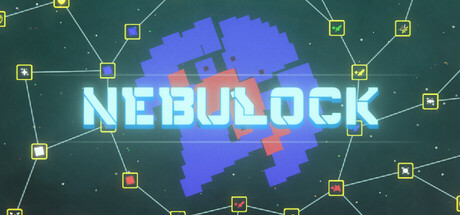
Good aim means little if your thumbs fight the UI. This Controls guide for Roblox Nebulous by latent//state (permission from LostVolBytes) focuses on practical input habits across keyboard/mouse, mobile touch, and controller—the three ways most pilots will clear twenty-five levels, five Guardians, and the final boss in this solo place (maxPlayers = 1).
Nebulous released 2026-06-29 with mobile and controller support already part of the pitch. Co-op, editor, and cosmetics are still on the roadmap, so every run is a personal duel against block bosses and loot-block geometry. Bindings can shift with Roblox overlays; treat the sections below as behavior goals rather than immutable key names.
Universal control goals
Regardless of device, you want:
- Continuous strafe without slamming the arena edge.
- Fire uptime that matches your clip and reload upgrades.
- Rocket access under pressure—not buried in a submenu.
- Collect paths that do not require releasing aim for three seconds.
- Menu discipline so a pause never steals a Guardian phase.
If an upgrade purchase changes how “fast” the ship feels, re-test your sensitivity before the next Guardian. Read Getting Started for the spend order that makes these controls matter.
Keyboard and mouse
Typical Roblox shooter / twin-stick style expectations:
- Move with WASD or arrow keys depending on your layout preference.
- Aim with the mouse; keep the cursor ahead of the ship’s turn rate.
- Hold fire rather than tap-spam unless a specific weapon node rewards bursts.
- Map rockets / items to an easy keyboard key—never a chord you miss under stress.
- Use Esc / Roblox menu sparingly mid-fight; soft pauses still break rhythm.
PC habits that win
- Lower look sensitivity until micro-orbits on level 13 shield circles feel stable.
- Sit farther from the desk edge so wrist aim does not clip.
- Disable extra overlays that capture the cursor.
- After redeeming a code or joining the Group in a browser, click back into the Roblox window and tap move once to confirm focus (How to Redeem, Group Rewards).
Mobile touch
Mobile clears are absolutely viable, but only with intentional thumbs:
- Prefer landscape for wider strafe lanes.
- Keep the movement virtual stick in a fixed comfort zone; do not chase it across the glass.
- Bind or position the rocket button where your right thumb can reach without releasing aim.
- When the on-screen keyboard opens for a code, finish redeeming, dismiss the keyboard, then re-center thumbs before a fight.
- Reduce graphical clutter in Roblox settings if heat causes frame dips mid-Guardian.
Mobile-specific mistakes
- Covering too much of the lower screen with fat stick travel
- Panic-tapping rockets instead of holding a planned open window
- Vacuuming loot with both thumbs off fire during a still-active pattern
Farming on mobile is fine—just pick quieter times for How to Farm sessions so notifications do not eat a life later in permadeath.
Controller / gamepad
Controller is excellent for circular strafes once deadzones are honest:
- Left stick for movement, right stick for aim if the build uses twin-stick logic; if the experience auto-aims more heavily, still practice intentional orbits.
- Put rockets on a bumper or trigger you can hit without removing a stick.
- Increase deadzone slightly if drift pulls you into level 10 corner lures early.
- Decrease deadzone if you cannot draw tight shield circles on level 13.
- Use the Roblox button combo carefully; accidental menu opens are run-killers in permadeath.
If text entry for codes is painful, redeem on PC/mobile, then return to controller play.
Combat inputs by scenario
Rocket open windows (L5, L7, L8)
Practice a two-beat rhythm: strafe to the open angle → fire rocket → resume gun. Do not freeze in place to “line up perfectly” if the boss punishes stillness. Details on tool choice sit in Rockets and Items.
Wing then corner lure (L10)
Input focus is patience. Clear a wing with sustained fire, then deliberately drag the remaining mass toward a corner using movement—not by spraying randomly. Your sticks/mouse should draw a kite path.
Shield circles (L13)
Pick a radius and commit. Oscillating between two radii is how touch and stick players clip shields. Fire continuously; clip/reload upgrades exist so this lane stays lit.
Guardian and final boss phases
Bind your eyes to telegraph beats, not to your thumbs. If you notice your aim stick drifting toward loot mid-phase, consciously park loot collection for the phase break. Boss pages: Beat Guardians, Final Boss.
Accessibility and comfort
- Take a break every few Guardians; tension creep ruins fine motor control.
- Raise UI scale if you cannot see rocket charges.
- Use headphones for audio cues when visual density peaks.
- On shared devices, re-check sensitivity saved profiles before a serious run.
Practice drills (10 minutes)
- Orbit drill — fly three clean circles without firing, then three while holding fire.
- Rocket drill — open a practice core with one rocket and no panic second shot.
- Loot path drill — clear a wave, then collect on a single exit curve.
- Menu drill — open upgrades between levels only; never mid-pattern.
Run these after any control scheme change and after big upgrade breakpoints from Getting Started.
When controls feel “wrong” after upgrades
Bigger projectiles, faster ships, or stronger recoil-like camera pushes can invalidate yesterday’s sensitivity. After shopping:
- Enter a farm level (How to Farm).
- Rehearse L10 and L13 movement samples.
- Only then queue the next Guardian.
Related pages
Master the lane you can repeat under stress. Nebulous rewards boring, reliable inputs more than flashy flicks that only work on full health.
Frequently Asked Questions
Quick answers for Nebulous pilots.
Does Nebulous support controller?
Yes. Controller and mobile are supported. Put rockets on an easy bumper/trigger and tune deadzones for circular strafes.
What is the biggest mobile mistake?
Letting the movement stick wander and covering rocket buttons so you cannot open cores on demand.
Should I pause during a Guardian?
Avoid it. Menuing breaks rhythm and can drop inputs. Make upgrade decisions between levels instead.
How do I practice shield circles?
On level 13 patterns, pick one radius, keep firing, and adjust sensitivity until the orbit stays smooth for a full cycle.
Do I need different controls for permadeath?
Same bindings, stricter discipline. Disable distractions and never experiment with sensitivity mid-run.